Zod Returns: TypeScript-First Schema Validation
Zod Returns: TypeScript-First Schema Validation
By Sagar Sawuck
7 min read
A comprehensive guide to Zod, the TypeScript-first schema validation library. Learn how to use Zod for runtime type safety, form validation, API boundary safety, and seamless TypeScript integration.
- Authors

- Name
- Sagar Sawuck
So what is Zod?
General Zod is a supervillain appearing in American comic books published by DC Comics, commonly as an adversary of the superhero Superman. The character, who first appeared in Adventure Comics #283, was created by Robert Bernstein and initially designed by George Papp.

🤔 The context doesn't sound quite right, eh? While this is probably the origin of the name, we're referring to a different Zod!
Zod in JavaScript
Zod is a TypeScript-first validation library. Using Zod, you can define schemas that you can use to validate data, from a simple string to a complex nested object. Some of its key features are outlined here:
- Schema-first validation - Define once, use everywhere
- TypeScript integration - Automatic type inference
- Runtime safety - Catch errors before they crash your app
- Zero external dependencies
- Works in Node.js and all modern browsers
- Tiny: 2kb core bundle (gzipped)
- Immutable API: methods return a new instance
- Concise interface
- Works with TypeScript and plain JS
- Built-in JSON Schema conversion
- Extensive ecosystem
What problem does Zod solve?
🦹♂️ The problem
Runtime errors from invalid data
- Form submission crashes app
- API returns unexpected structure
- Environment variables missing
🦸 The hero
Zod - A new hope for type safety
🚀 What you'll learn
Concrete examples of Zod solving real problems
Why use Zod in TypeScript?
Zod bridges the gap between TypeScript's compile-time type checking and runtime validation. It ensures data matches expected types both during development and at runtime, catching errors that TypeScript alone can't prevent.
Zod has became popular for several key reasons.
- Gained significant adoption in the TypeScript community
- Became deeply integrated into the ecosystem with hundreds of libraries depending on it
- Zod 4 was released with an innovative versioning approach to avoid "version avalanche" problems
Key Benefits
- Schema as Single Source of Truth: Define your data structure once, get both TypeScript types and runtime validation. No duplication or sync issues
- Excellent Developer Experience: Descriptive error messages, autocomplete, and seamless TypeScript integration make it pleasant to work with
- API Boundary Safety: Perfect for validating external data (API requests, form submissions, environment variables) where you can't trust the input format
- Composable & Flexible: Schemas can be combined, extended, and transformed easily. Built-in methods for common patterns like optional fields, defaults, and transformations
- Framework Integration: Works excellently with React Hook Form, Next.js API routes, tRPC, and other popular tools in the TypeScript ecosystem.
Alternatives: Yup, JOI, AJV, class-validator
- Choose Zod if: You're using TypeScript and want seamless type inference with a clean, chainable API.
- Choose Yup if: You prefer simplicity and don't need TypeScript integration.
- Choose Joi if: You need the most comprehensive validation features and don't mind the larger bundle size.
- Choose class-validator if: You're using a class-based architecture (like NestJS).
- Choose AJV if: You need maximum performance or JSON Schema compliance.
The validation library landscape has evolved significantly, with newer libraries like Valibot and arktype emerging as potential successors to Zod, offering similar TypeScript-first experiences with improved performance characteristics.
Schema definition
Zod has many building blocks to help with schema definition:
- Base/Primitive types: string, number, bigint, boolean, symbol, undefined, null
- Common string formats: email, uuid, url, ...
- Complex types: nullable, object, array, literals, ...
- Schema composition: extend, merge, pick, omit, partial, discrimatedUnion
Example: Simple Login schema
const LoginSchema = z.object({
  email: z.string().email('Invalid email'),
  password: z.string().min(6, 'Password must be at least 6 characters')
})
Example: Complex Order schema (nested)
const OrderSchema = z.object({
  id: z.string().uuid(),
  customer: z.object({
    name: z.string(),
    address: z.object({
      street: z.string().optional(),
      city: z.string(),
      country: z.enum(['US', 'CA', 'UK'])
    })
  }),
  items: z.array(z.object({
    product: z.string(),
    quantity: z.number().positive(),
    price: z.number()
  })),
  metadata: z.record(z.unknown()).optional()
})
Composing schemas
Zod offers several powerful ways to compose schemas, making it easy to build complex data structures from simpler building blocks: extend, merge, pick, omit, partial, required, discriminatedUnion, and, refine, recursive schemas, schema factories, ...and more!
These composition patterns make Zod extremely powerful for building maintainable, reusable validation schemas that can grow with your application's complexity!
Example: Merging, extending, picking schemas
// schemas/common.ts
export const TimestampSchema = z.object({
  createdAt: z.date(),
  updatedAt: z.date()
})

export const IdSchema = z.object({
  id: z.string().uuid()
})

// schemas/user.ts
import { TimestampSchema, IdSchema } from './common'
export const UserSchema = IdSchema.merge(TimestampSchema).extend({
  name: z.string(),
  email: z.string().email()
})

// schemas/product.ts
export const ProductSchema = IdSchema.merge(TimestampSchema).extend({
  name: z.string(),
  price: z.number().positive(),
  owner: UserSchema.pick({ id: true, name: true })
})
Polymorphic data schemas with discriminated union
A discriminated union is a pattern where you have multiple object types that share a common "discriminator" field (usually called a "tag" or "type" field). This field acts as a "switch" that tells you exactly which variant of the union you're dealing with.
Example: Notification schema with a "type" property as discriminator
const NotificationBase = z.object({
  id: z.string(),
  timestamp: z.date(),
  read: z.boolean()
})

const EmailNotification = NotificationBase.extend({
  type: z.literal('email'),
  subject: z.string(),
  body: z.string()
})

const PushNotification = NotificationBase.extend({
  type: z.literal('push'),
  title: z.string(),
  message: z.string()
})

const SMSNotification = NotificationBase.extend({
  type: z.literal('sms'),
  phoneNumber: z.string(),
  text: z.string()
})

// Union with discriminator
const NotificationSchema = z.discriminatedUnion('type', [
  EmailNotification,
  PushNotification,
  SMSNotification
])
✅ Use when
- Different data shapes based on "type" (discriminator)
// Payment methods have different required fields
const PaymentMethodSchema = z.discriminatedUnion('type', [
  z.object({
    type: z.literal('credit_card'),
    cardNumber: z.string(),
    expiryDate: z.string(),
    cvv: z.string()
  }),
  z.object({
    type: z.literal('paypal'),
    email: z.string().email()
  }),
  z.object({
    type: z.literal('bank_transfer'),
    accountNumber: z.string(),
    routingNumber: z.string()
  })
])
- State machines
// UI loading states
const LoadingStateSchema = z.discriminatedUnion('status', [
  z.object({
    status: z.literal('idle')
  }),
  z.object({
    status: z.literal('loading')
  }),
  z.object({
    status: z.literal('success'),
    data: z.any()
  }),
  z.object({
    status: z.literal('error'),
    error: z.string()
  })
])
- Event systems
// Different event types with different payloads
const EventSchema = z.discriminatedUnion('eventType', [
  z.object({
    eventType: z.literal('user_signup'),
    userId: z.string(),
    email: z.string()
  }),
  z.object({
    eventType: z.literal('order_placed'),
    orderId: z.string(),
    amount: z.number()
  }),
  z.object({
    eventType: z.literal('page_view'),
    url: z.string(),
    referrer: z.string().optional()
  })
])
- API Responses with Different Structures
const ApiResponseSchema = z.discriminatedUnion('success', [
  z.object({
    success: z.literal(true),
    data: z.any(),
    message: z.string().optional()
  }),
  z.object({
    success: z.literal(false),
    error: z.string(),
    code: z.number()
  })
])
💪 Benefits
- Type Safety: TypeScript can narrow types automatically
function handlePayment(payment: z.infer<typeof PaymentMethodSchema>) {
  if (payment.type === 'credit_card') {
    // TypeScript knows payment.cardNumber exists here
    console.log(payment.cardNumber)
  }
  if (payment.type === 'paypal') {
    // TypeScript knows payment.email exists here
    console.log(payment.email)
  }
}
- Better Error Messages: Zod gives specific validation errors
- Performance: More efficient than regular unions
- Clarity: Makes the data structure's intent obvious
❌ Avoid when
- All variants have the same structure (use regular objects)
- You just need optional fields (use .optional())
- The discriminator isn't meaningful to your domain
Conditional schema composition
Conditional schema composition allows you to create schemas where certain fields or validation rules depend on the values of other fields in the same object.
There are many possible approaches:
1. Using .AND() with discriminated unions
// Base schema with common fields
const BaseUserSchema = z.object({
  name: z.string(),
  email: z.string().email(),
  role: z.enum(['admin', 'user', 'moderator'])
})
// Conditional fields based on role
const UserSchema = BaseUserSchema.and(
  z.discriminatedUnion('role', [
    z.object({
      role: z.literal('admin'),
      permissions: z.array(z.string()),
      canDeleteUsers: z.boolean()
    }),
    z.object({
      role: z.literal('moderator'),
      moderatedForums: z.array(z.string())
    }),
    z.object({
      role: z.literal('user'),
      subscriptionLevel: z.enum(['free', 'premium'])
    })
  ])
)
2. Using .refine() for Cross-Field Validation
const EventSchema = z.object({
  title: z.string(),
  isRecurring: z.boolean(),
  startDate: z.date(),
  endDate: z.date(),
  recurringPattern: z.string().optional()
}).refine(
  (data) => !data.isRecurring || data.recurringPattern,
  {
    message: "Recurring events must have a pattern",
    path: ["recurringPattern"]
  }
).refine(
  (data) => data.endDate > data.startDate,
  {
    message: "End date must be after start date",
    path: ["endDate"]
  }
)
3. Conditional Required Fields
const ShippingSchema = z.object({
  method: z.enum(['pickup', 'delivery']),
  address: z.string().optional(),
  city: z.string().optional(),
  zipCode: z.string().optional(),
  deliveryInstructions: z.string().optional()
}).refine((data) => {
  if (data.method === 'delivery') {
    // even though we defined these fields as optional,
    // here we make them required for "delivery"
    return data.address && data.city && data.zipCode
  }
  return true // true = valid
}, {
  message: "Address, city, and zip code required for delivery",
  path: ["address"]
})
4. Complex Business Logic
const OrderSchema = z.object({
  items: z.array(z.object({
    productId: z.string(),
    quantity: z.number(),
    price: z.number()
  })),
  discountCode: z.string().optional(),
  customerType: z.enum(['regular', 'vip', 'employee']),
  totalAmount: z.number()
}).refine((data) => {
  // Employee discount validation
  if (data.customerType === 'employee' && !data.discountCode) {
    return false
  }
  return true
}, {
  message: "Employee orders must include a discount code",
  path: ["discountCode"]
}).refine((data) => {
  // Validate total amount calculation
  const calculatedTotal = data.items.reduce((sum, item) =>
    sum + (item.quantity * item.price), 0
  )
  return Math.abs(data.totalAmount - calculatedTotal) < 0.01
}, {
  message: "Total amount doesn't match item prices",
  path: ["totalAmount"]
})
5. Dynamic Schema Factories
function createConfigSchema(environment: 'development' | 'production') {
  const baseSchema = z.object({
    apiUrl: z.string().url(),
    database: z.object({
      host: z.string(),
      port: z.number()
    })
  })
  if (environment === 'development') {
    return baseSchema.extend({
      debugMode: z.boolean().default(true),
      mockData: z.boolean().optional()
    })
  }
  return baseSchema.extend({
    ssl: z.boolean().default(true),
    monitoring: z.object({
      endpoint: z.string().url(),
      apiKey: z.string()
    })
  })
}
const devConfigSchema = createConfigSchema('development')
const prodConfigSchema = createConfigSchema('production')
6. Recursive schemas for tree structures
// Define recursive type (TypeScript)
type Category = {
  id: string
  name: string
  subcategories: Category[]
}

// Create recursive Zod schema
const CategorySchema: z.ZodType<Category> = z.object({
  id: z.string(),
  name: z.string(),
  subcategories: z.lazy(() => z.array(CategorySchema)) // <--- HERE
})
When to use conditional composition
✅ Use when
- Fields depend on other field values
- Business rules require cross-field validation
- Different user types need different fields
- State determines available options
- Form flows have conditional steps
❌ Avoid when
- Simple optional fields work fine
- Logic is too complex (move to business layer)
- Performance is critical (.refine() can be expensive)
🚀 Best Practices
- Keep conditions simple and readable
- Provide clear error messages with specific paths
- Consider performance implications of
.refine() - Use discriminated unions for type-based differences
- Document complex business rules in comments
Basic usage example
Common Workflow
- Define schema using Zod's API
- Infer TypeScript type with
z.infer<typeof schema> - Parse/validate data with
.parse()(throws) or.safeParse()(returns result) - Use typed data with full confidence in your application
Example: User schema definition and validation
const UserSchema = z.object({
  name: z.string(),
  email: z.string().email(),
  age: z.number().min(18)
})
// extract the inferred type
type User = z.infer<typeof UserSchema>;
// use it in your code
const user: User = { name: "billie", email: "<billie@email.com>" , age: 30 };
const result = UserSchema.safeParse({ name: 42, age: "100" });
if (!result.success) {
  result.error;   // ZodError instance
} else {
  result.data;
}
The key benefit is this creates a "validation boundary" where untrusted data becomes trusted, typed data that's safe to use throughout your application.
Common use cases
Form validation in React apps: most common use case - validating user input with React Hook Form
The perfect marriage: Zod + React Hook Form => Setup: zodResolver integration:
- Automatic error handling: Field-level validation messages
- Custom validation:
.refine()for complex business rules
import React from 'react'
import { z } from 'zod'
import { useForm } from 'react-hook-form'
import { zodResolver } from '@hookform/resolvers/zod'
// schema definition
const SignUpFormSchema = z.object({
  email: z.string().email('Invalid email'),
  password: z.string().min(8, 'Password must be 8+ characters'),
  confirmPassword: z.string()
}).refine(data => data.password === data.confirmPassword, {
  message: "Passwords don't match",
  path: ["confirmPassword"]
})
// React component
export function SignupForm(): React.FC {
  const { register, handleSubmit, formState: { errors } } = useForm({
    // connecting our Zod schema to react hook form
    resolver: zodResolver(SignUpFormSchema)
  })

  const onSubmit = (data) => {
    // data is automatically typed and validated
  }
}
- API request/response validation: Validating incoming requests and responses (Next JS)
// api/users/route.ts
const createUserSchema = z.object({
  name: z.string().min(1),
  email: z.string().email(),
  role: z.enum(['admin', 'user'])
})

export async function POST(request: Request) {
  const body = await request.json()

  try {
    const validatedData = createUserSchema.parse(body)
    // Process valid data
    return Response.json({ success: true })
  } catch (error) {
    return Response.json({ error: error.errors }, { status: 400 })
  }
}
- Environment/Config file parsing: Type-safe environment/config variables
// config/env.ts
const envSchema = z.object({
  DATABASE_URL: z.string().url(),
  API_KEY: z.string().min(1),
  PORT: z.coerce.number().default(3000),
  NODE_ENV: z.enum(['development', 'production', 'test'])
})

export const env = envSchema.parse(process.env)
// Now env is fully typed and validated
- Database schema validation: With ORMs or raw database operations
const UserSchema = z.object({
  id: z.string().uuid(),
  email: z.string().email(),
  createdAt: z.date(),
  profile: z.object({
    firstName: z.string(),
    lastName: z.string()
  }).optional()
})

// Validate data coming from database
const users = await db.query('SELECT * FROM users')
const validatedUsers = users.map(user => UserSchema.parse(user))
- tRPC Integration: Zod is the default validator for tRPC procedures
import { z } from 'zod'
import { router, publicProcedure } from './trpc'

export const appRouter = router({
  getUser: publicProcedure
    .input(z.object({ id: z.string() }))
    .output(z.object({
      id: z.string(),
      name: z.string()
    }))
    .query(({ input }) => {
      // input is typed as { id: string }
      return getUserById(input.id)
    })
})
- Data transformation and coercion: Converting and cleaning data
const stringToNumber = z.string().transform(val => parseInt(val))
const trimmedString = z.string().transform(val => val.trim())

// URL search params validation
const searchSchema = z.object({
  page: z.coerce.number().default(1),
  limit: z.coerce.number().max(100).default(10),
  sort: z.enum(['asc', 'desc']).default('asc')
})

const params = searchSchema.parse(searchParams)
- External API Response Validation: Ensuring third-party APIs return expected data
const GitHubUserSchema = z.object({
  login: z.string(),
  id: z.number(),
  avatar_url: z.string().url(),
  public_repos: z.number()
})

async function fetchGitHubUser(username: string) {
  const response = await fetch(`https://api.github.com/users/${username}`)
  const data = await response.json()

  return GitHubUserSchema.parse(data) // Validates API response
}
- ...and much more!
Demo
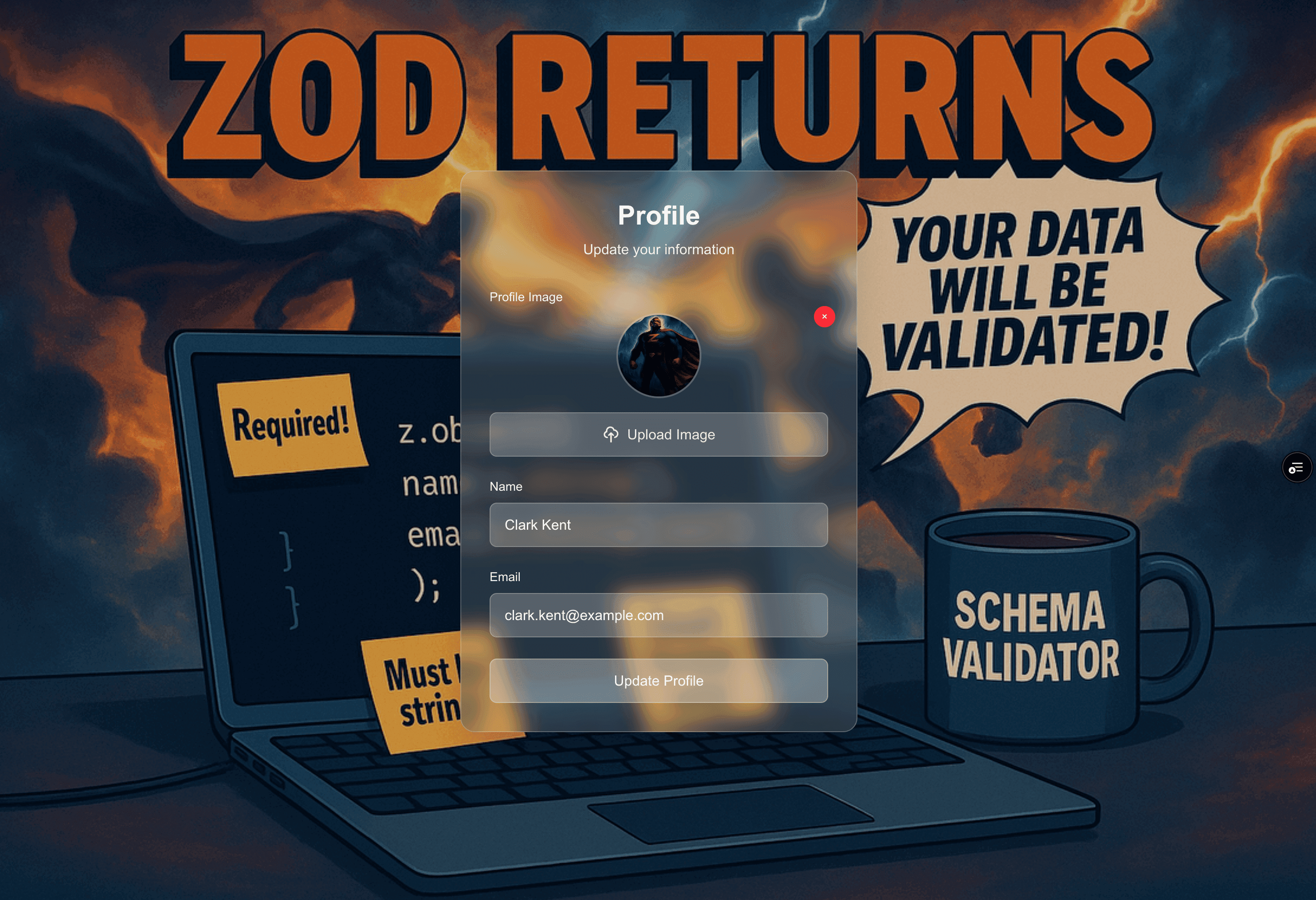
What will we build?
Imagine a profile page with a name, email and profile picture. The profile picture is nullable, a url when it has been uploaded and a file when a new profile picture is being uploaded. Using react hook forms, how do we handle this?
Links
Key takeaways: The Typescript validation library that strikes back
- Single source of truth for data shape - One Schema, Two Powers: Define once → get TypeScript types + runtime validation
- Runtime Safety: Catch incorrect data before it crashes your app
- Perfect Form Validation: Seamless React Hook Form integration
- Composable & Scalable: Build complex schemas from simple building blocks
From hoping your data is right → knowing your data is right
P.S: Forgive the AI image gen typo "is fulfilled"
Closing thoughts
This article is based on a talk that I gave at iO Frontend day 2025 conference, you can find a downloadable pdf of the presentation below as reference.

A day filled with knowledge sharing and insights from colleagues at iO! 🙌

Resources
- Zod documentation: https://zod.dev/
- Github demo with react hook form: https://github.com/sagarsys/zod-returns
- Download the presentation as reference: Zod Returns! PDF File